Streamlining Salesforce Marketing Cloud: Delete Data Extensions and Efficiently Update Content
One of the biggest administrative challenges in Salesforce Marketing Cloud Engagement is the management of ever-growing inventories of data and assets. If complex data structures, automations and content assets (such as scripts, templates and images) are not regularly cleaned up, performance losses and operational inefficiencies are inevitable. This article highlights the limitations of the native delete function and data retention policy feature, presenting a complementary best-practice solution for housekeeping in Salesforce Marketing Cloud Engagement.

Legacy Data and the Limitations of Salesforce's Retention Policies
From an operational standpoint, regularly deleting data extensions in Salesforce Marketing Cloud Engagement makes sense. An ever-growing accumulation of unused tables can slow down the user interface and cause confusion. These large data volumes often arise from copying data extensions for one-off mailings or creating filtered data extensions for temporary analyses.
Nevertheless, many marketers hesitate to manually delete old data. The reason for this is significant uncertainty regarding existing dependencies. It is often unclear whether a data extension is referenced in an active automation or SQL query. Additionally, manually deleting data across folder structures is tedious and error-prone.
Fortunately, Salesforce offers a native feature called “Data Retention Policy,” which has been enabled by default since November 2025 for new Data Extensions. This feature enforces data protection standards. However, in complex, mature architectures, this feature often has its limitations.
- Lack of usage context: The native Retention Policy deletes data or entire data extensions according to a fixed schedule (e.g., X months after import or creation). The system does not check if the data extension to be deleted is still being used in campaigns or automations.
- Synchronized data extensions: A significant portion of the data in many SFMC setups originates from the CRM via Marketing Cloud Connect. No native retention policies can be assigned to these synchronized data extensions at the system level.
- Housekeeping vs. GDPR Deletion: Deleting a data extension or its entries via a retention policy does not physically remove contacts from the "All Contacts" list. A retention policy is indispensable for system housekeeping; however, a comprehensive, GDPR-compliant deletion requires the separate Contact Delete Framework.
The complementary solution: Automated Crawler and Cloud Page Integration
To address the limitations of native retention policies, our Salesforce experts have developed a suite of complementary tools. This tool suite enables the search for outdated data extensions across the entire Salesforce Marketing Cloud Engagement account or in specifically defined folders. A crawler identifies tables that have exceeded a certain age or match specific naming patterns.
The technical implementation uses only native Salesforce Marketing Cloud tools. A crawler runs in the background via Automation Studio to collect relevant metadata while the web interface is fully hosted on a Cloud Page. The architectural advantage is that the data never leaves the Salesforce platform. This allows companies to comply with enterprise compliance requirements without connecting to or auditing external cloud infrastructures for security.
Approval UI ensures that data is not deleted haphazardly
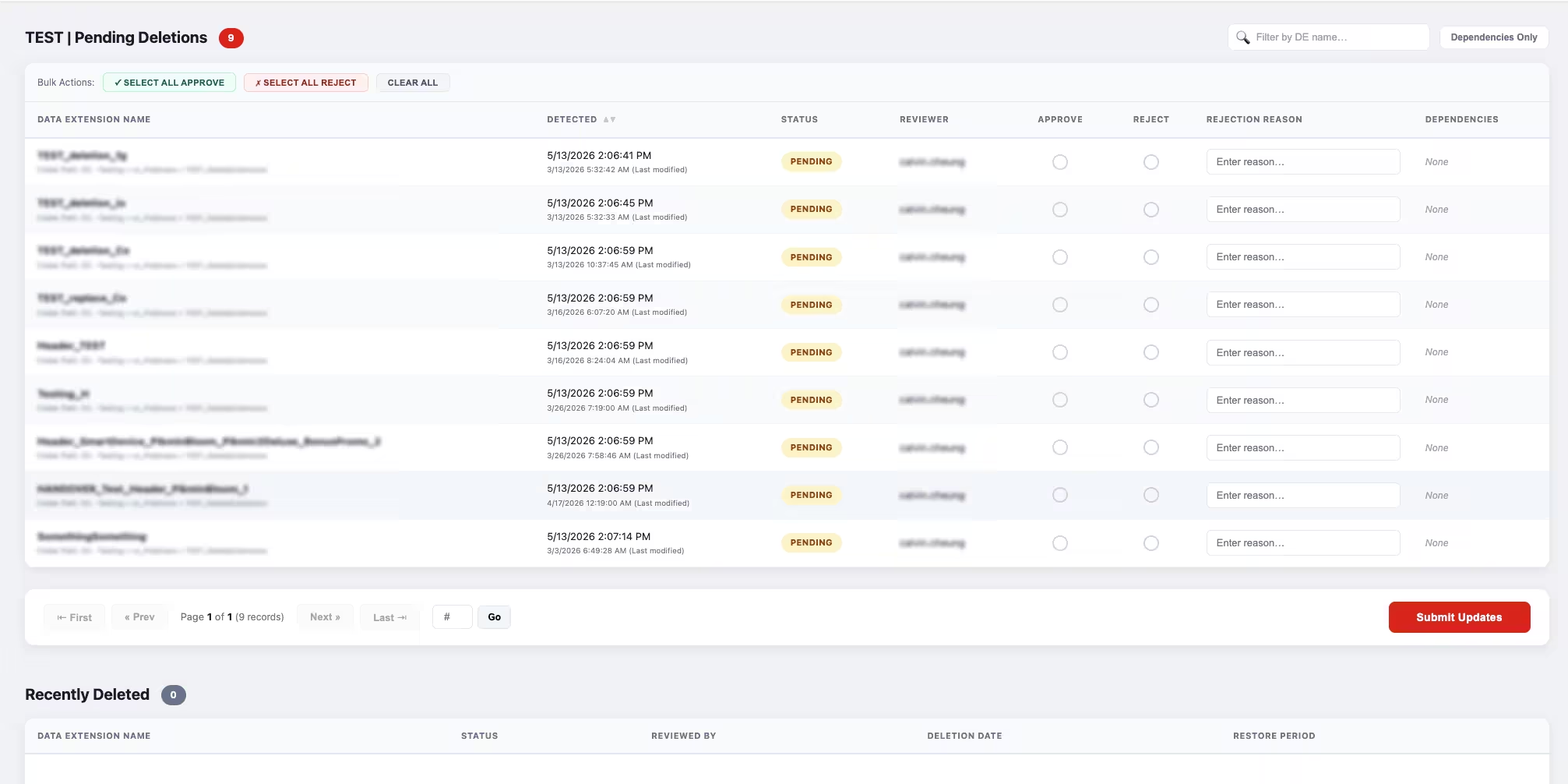
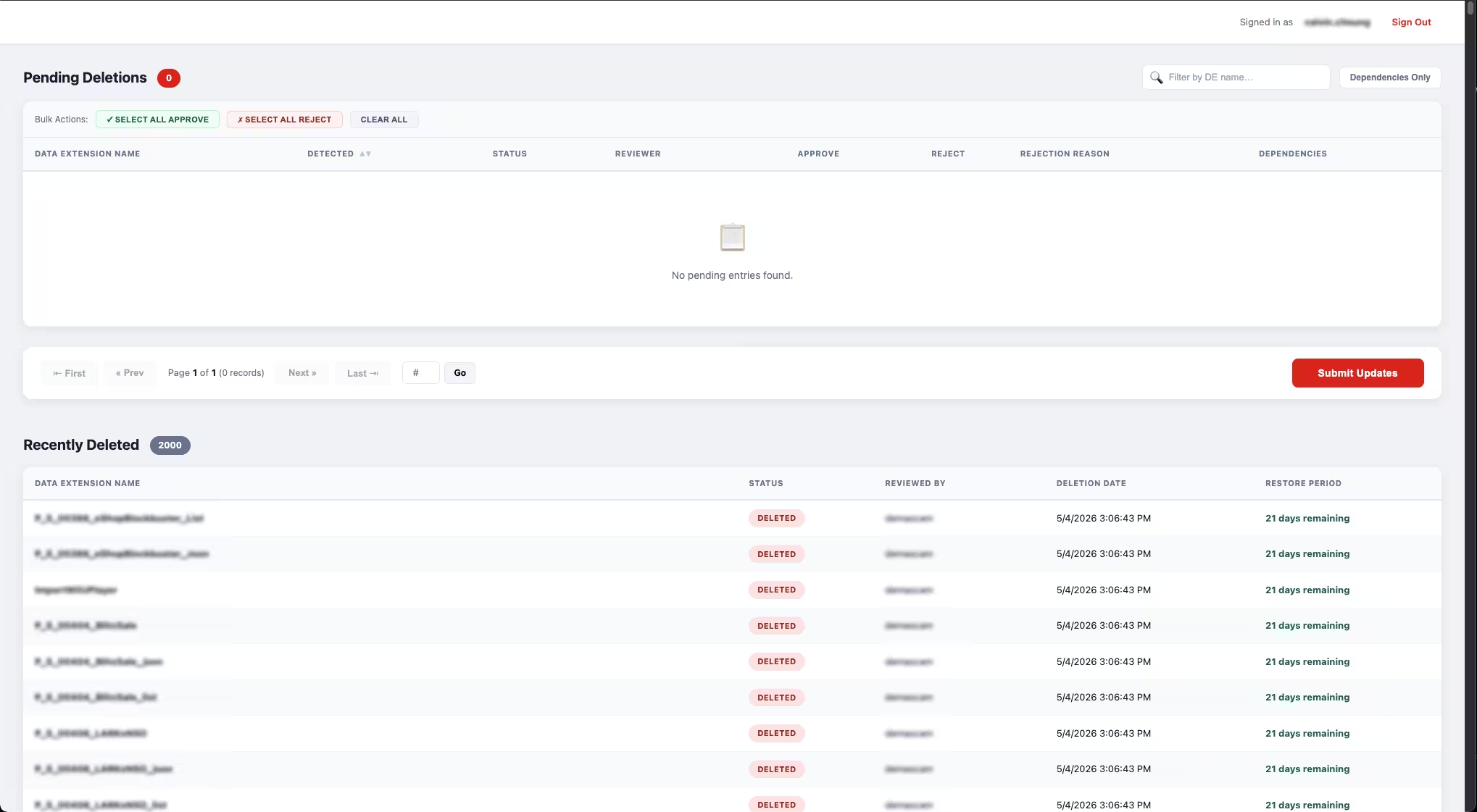
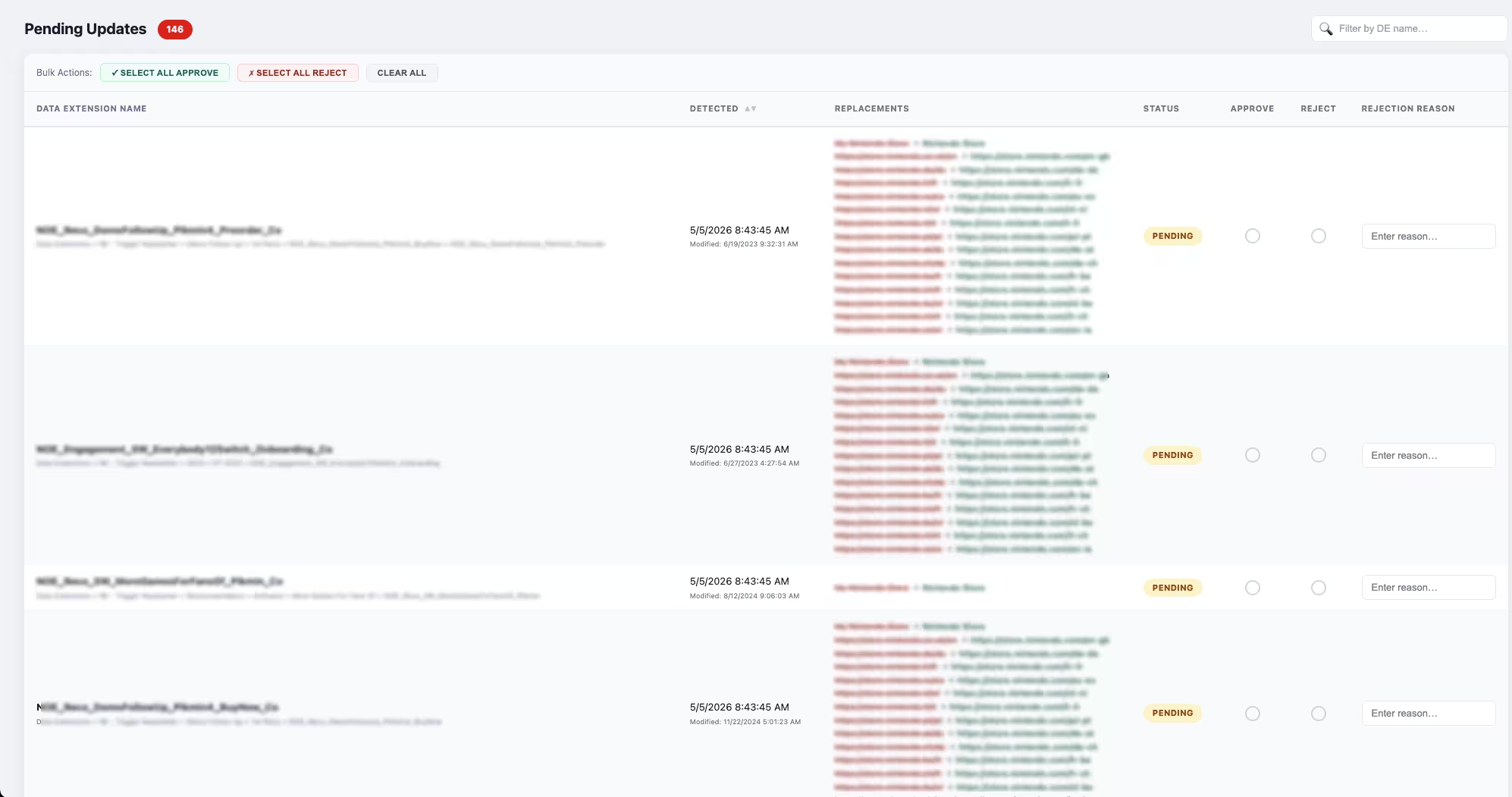
Rather than deleting outdated tables automatically after a timer expires, our solution uses an explicit security layer in the form of an Approval UI. After the crawler identifies Data Extensions that can be deleted, downstream scripts determine their exact system dependencies. The user interface transparently displays this information to users:
- In which query activities or automations is the respective data extension referenced?
- Are the referenced processes still relevant? The system queries the internal AutomationInstance Data View to determine to see if the linked query has been active and run successfully in the last six months.
Only with this well-founded, factual information can users explicitly approve or reject the deletion with a single click. This prevents accidental deletions and ensures full audit trail compliance through corresponding audit logs.
Account-wide string replacement across all assets and channels
Another operational bottleneck for which Salesforce Marketing Cloud offers no native solution is account-wide content updates. While certain email content can be modified centrally using dynamic content blocks, comprehensive rebranding often requires manually searching through and updating countless data extensions folders, names, emails, and code elements.
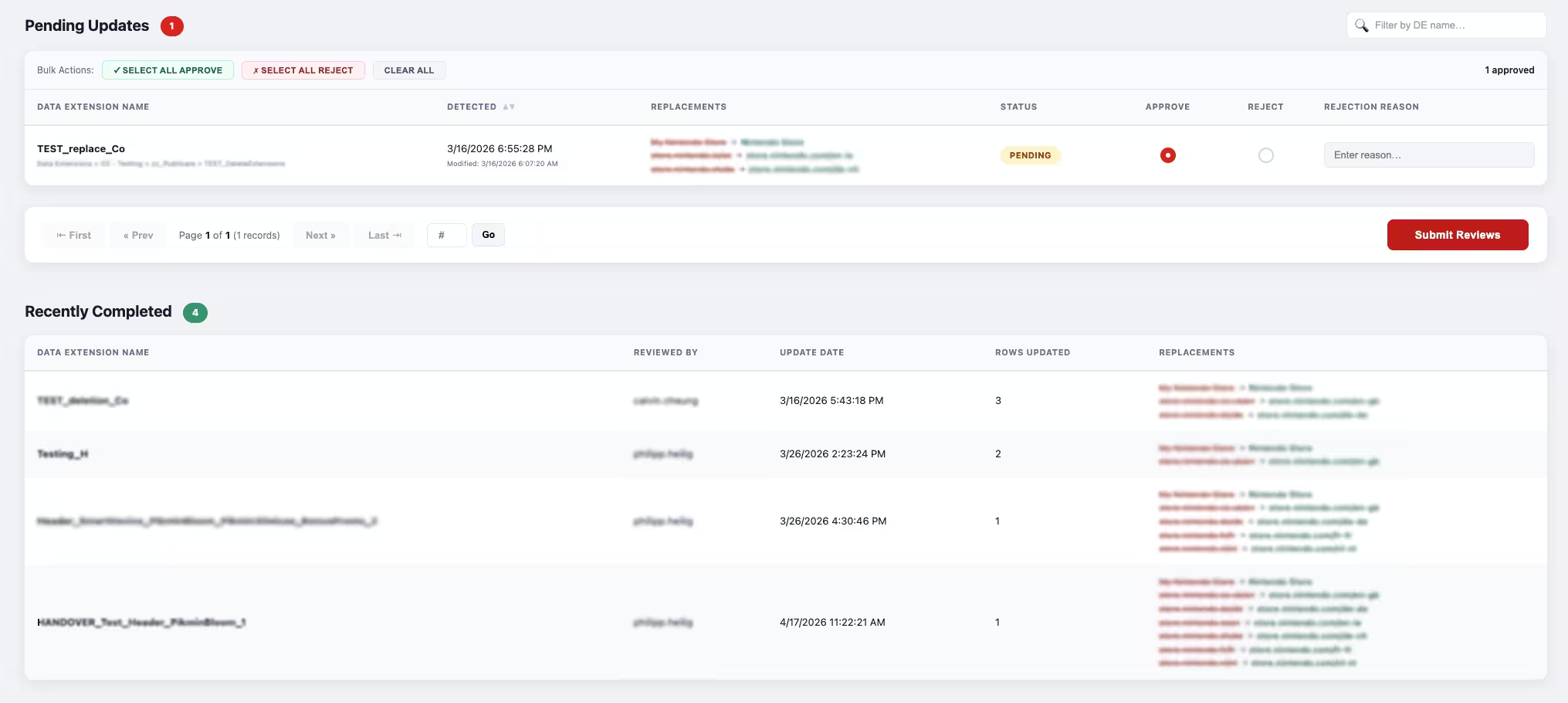
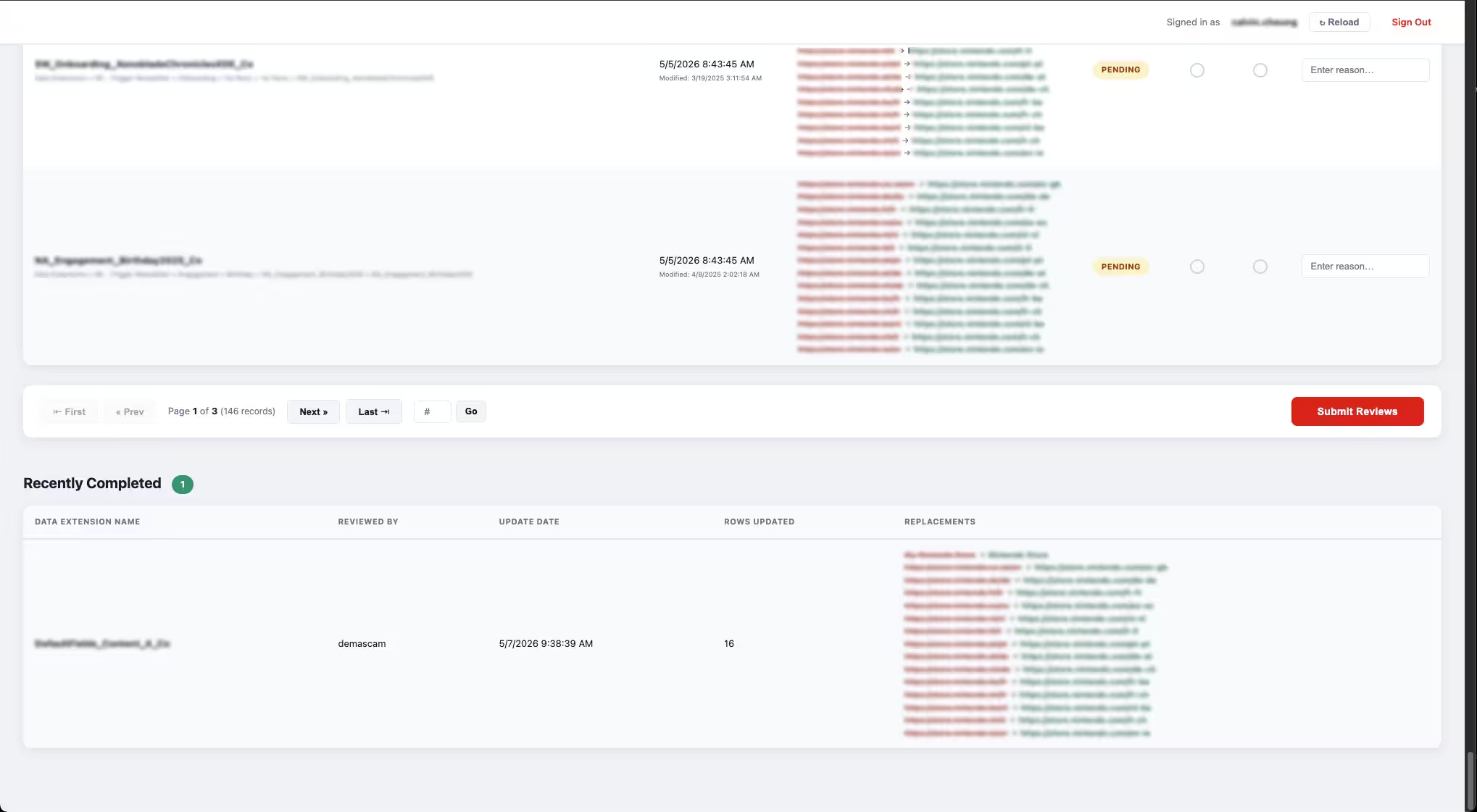
Our string replacement module can significantly reduce this manual effort. Through a cloud page-based interface, any string can be automatically searched for and replaced within Salesforce Marketing Cloud. This allows you to find out where an outdated store name, domain, URL, or service phone number appears across channels and assets. For example, you can replace an outdated store name (e.g., a renaming from “E-Store” to “Online Shop”). Our crawler tool not only searches email texts within the Marketing Cloud instance, but also data extensions, HTML source code and variables in code snippets (SSJS/AMPscript) in the Content Builder.
After review in the Approval UI, the account-wide replacement takes place with the click of a button.
Conclusion: Strategic data management pays off
Regular housekeeping and well-designed content processes are crucial for the long-term performance and maintainability of your SFMC account, not optional drudgery. With the right tools, you can save time and minimize the risk of operational errors.Do you have questions about your Salesforce Marketing Cloud account's performance? Are you interested in using our housekeeping and replacement tools? Our certified experts are happy to assist you. Contact us for a no-obligation consultation.